
The following is a picture of LiDAR surface model imported into Google Earth and the surface has all the functionality of Google Earth. clock on image to make larger.
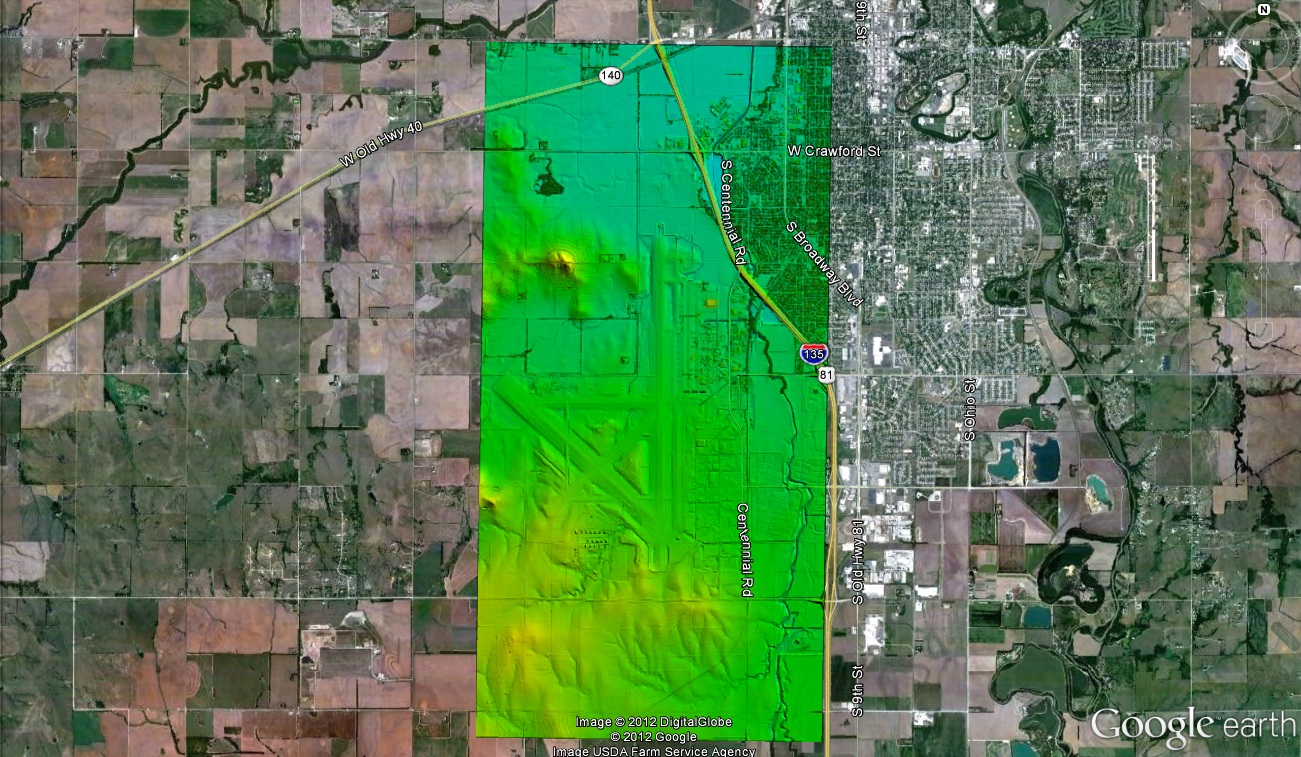
The following is a picture of LiDAR surface model imported into Google Earth and the surface has all the functionality of Google Earth. clock on image to make larger.


 WiLDER LiDAR Blog
Can you elaborate on how it was imported and what version of google earth this works in?
You have to get your LiDAR in a GeoTiff format and I did this in Google Earth Pro and than saved the information in KMZ format so others could use it.
Is the KMZ available? I’d like to show my students in our cartography lab.
I emailed you so I will get it to you.
can we do this by exporting the lidar to kmz file than open it in google earth standard? is there a way to open the lidar into google earth without using the pro version?
Thanks
I have not seen a way to do this. Typically, i just save the LiDAR surface as IMG format and than import that into Google earth or save as a KML and import it into Google earth.
This only imports a 2d image of the lidar, Not a true DEM from the lidar
The image you have here is just a screen Shot of the data in google earth. I would have to provide you the google earth file to see it in 3-D and have it located correctly. let me know if you have the KMZ and if not I can email it to you.